














Apple Worm 2: The Ultimate 2026 Strategy Puzzle Guide
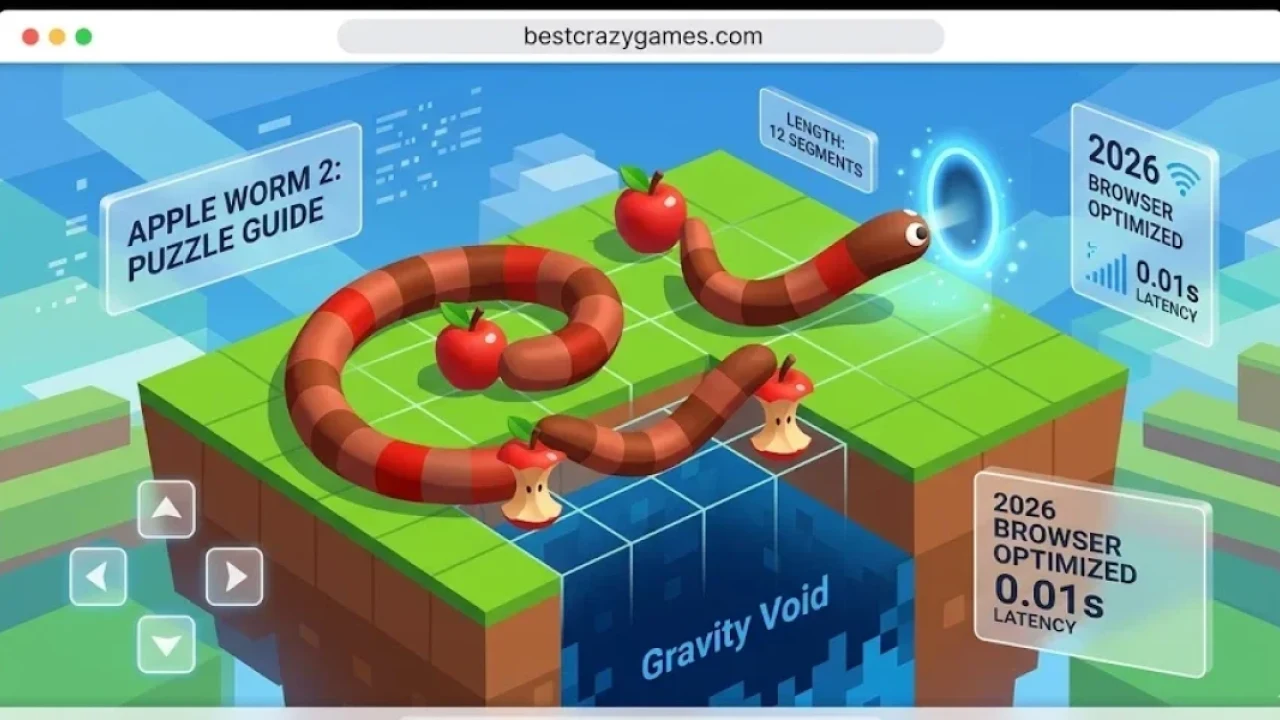
Apple Worm 2 is a high-IQ physics-based puzzle game where players control a flexible worm navigating complex grid-based levels to reach a portal. The core mechanic involves consuming apples to grow in length, allowing the worm to bridge gaps and climb obstacles, requiring precise spatial reasoning and gravity management in a 2026 browser-optimized environment.
Apple Worm 2: Technical Specifications
| Feature | Details (2026 Browser Edition) |
| Genre | Logic Puzzle / Physics Platformer |
| Key Mechanic | Length Growth (Apple Consumption) |
| Physics Engine | Grid-based Gravity & Body Segments |
| Platform | HTML5 (Optimized for Mobile & Desktop) |
| Control Scheme | Arrow Keys / WASD / Touch Swiping |
| Target Audience | Strategy Enthusiasts & Casual Gamers |
The Evolution of Apple Worm 2 Gameplay
Taking the foundation of its predecessor to new heights, this sequel introduces more intricate level designs and refined physics. In Apple Worm 2, your goal is simple: eat the apple and reach the exit portal. However, every move counts. In the 2026 version, the game leverages modern web performance to ensure that "segment physics"—how the worm's body reacts to gravity when hanging off a ledge—is pixel-perfect. If you are ready to test your brain, you can dive into Apple Worm 2 immediately without any downloads. The game strikes a rare balance between accessibility and extreme difficulty, making it a staple for fans of logic-based challenges.
Core Mechanics: Growth and Gravity
The defining element of this title is the "growth mechanic." Every apple you consume increases your worm's length by one segment. This is not just a visual change; it is a vital tool for survival. A longer worm can bridge wider gaps that would otherwise result in a fall. However, being longer also makes navigating tight spaces more difficult. PRO: Use your extra length to "coil" on a platform, allowing you to reach higher ledges without falling backward. Contra: Be careful not to trap yourself; if your body occupies the only path to the exit, you will have to restart the level. The 2026 update ensures that level transitions are instantaneous, allowing for rapid-fire trial and error.
Human-Tested Strategies for Hard Levels
Mastering the later stages of the game requires thinking three steps ahead. The most successful players use a technique called "Spatial Anchoring," where they position the worm's tail on a solid block before lunging the head toward an apple.
-
Strategy: Always identify the "Final Move" first. Look at the exit portal and work backward to see how long your worm needs to be to reach it.
-
PRO: You don't always need to eat the apple immediately. Sometimes, using the apple as a temporary platform is the only way to reach a necessary ledge.
-
Contra: Gravity is relentless. If more than half of your body segments are off a ledge, you will fall. Use the grid lines to calculate your center of mass before making a move.
Why Play Apple Worm 2 in 2026?
While many modern games rely on flash and noise, this puzzle gem focuses on the pure satisfaction of a "Eureka!" moment. The browser-based nature of the game makes it perfectly suited for quick sessions on any device. In 2026, we see a trend back toward these high-quality, unblocked logic games because they provide a mental workout without the clutter of heavy installations. At crazygamesfree.com, we prioritize titles like this because they offer "Frictionless Gaming"—the ability to go from a search result to an active level in under three seconds. The clean art style and smooth animations ensure that the focus remains entirely on the puzzles.
Troubleshooting and Performance Tips
If you encounter any lag during the more physics-heavy levels, ensure your browser's hardware acceleration is turned on. Apple Worm 2 is built on an efficient HTML5 framework, meaning it should run at a stable 60 FPS even on older Chromebooks or mobile browsers. PRO Tip: If a level feels impossible, take a 30-second break. This "Reset Effect" often helps the brain recognize spatial patterns that were missed during a long session. Contra: Avoid using browser zoom features, as this can sometimes misalign the grid-based hitbox, causing the worm to "slip" off edges unfairly.
Wiki Resource: To explore more about the history of grid-based logic and puzzles, check out the Snake Game Wiki.