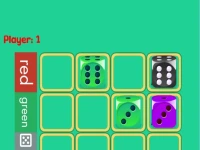
Design games let players build and arrange visual elements on a digital canvas using touch or direct input. Normally they focus on creating layouts, matching patterns, and placing objects to achieve a clean aesthetic. Players handle design game mechanics by tapping to select items and dragging to position them accurately.
Last Updated:
Jump In: Design games
Instantly place objects and drag elements to form a cohesive scene - the goal is arranging components for a balanced outcome.
The Gist
Core mechanics involve selecting items from a palette and positioning them on a grid for visual harmony. Players must manage space efficiently to avoid clutter and maintain a clear layout. Common objectives include completing a design task or matching a given pattern using available assets. Interaction is direct with simple tap and drag actions for precise control.
Quick Hacks
Prioritize placing larger objects first to define the layout structure. Use the grid feature to align items neatly and avoid uneven spacing. This approach helps in completing design games faster with cleaner results.
Fast Answers
Q: What controls are used? A: Tap to select and drag to place objects. Q: What is the main objective? A: Arrange elements to achieve a balanced visual design. Q: Is there a stated feature for grids? A: Grids help align items neatly. Q: What is the main mechanic? A: Selecting and positioning objects on a canvas.