












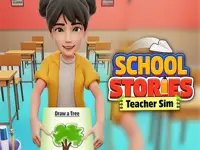

School Stories: Teacher Sim
School Stories: Teacher Sim offers a gameplay experience centered on responsiveness and simple controls. Students and items can be clicked and dragged smoothly, aiding quick rule enforcement.
How To Play School Stories: Teacher Sim
Clicking on classroom items and students, then switching quickly between activities, is key to managing efficiently.
Controls and Features
The game features buttons that are simple, intuitive, and follow a list of controls. These controls allow grading, catching students, and exploring areas with ease.
Tips
Try mastering button controls for smooth gameplay, and practice quick switching between tasks like grading and catching students, which helps keep everything flowing.
School Stories: Teacher Sim FAQs.
Q: What controls are used? A: Clicking on objects and students.
Q: What is the main objective? A: Managing classroom tasks with responsiveness.
Q: Are modes or difficulty not stated? A: Not stated.
Q: What's the main mechanic? A: Clicking and dragging objects and students for management tasks.
About this game
- Supported devices
- Desktop
- Genre
- Adventure
- Release date
- 10 August 2025
- Latest update
- 30 September 2025
- Rating
- 10.0 (3 votes)
Car Parking Simulator Offline

My Happy Farm Land Simulator

Bubble Man Runner Game

Airplane Simulator Game
Passenger City Taxi Game
School Bus Driving Game
Mud Offroad Jeep Game
Railways Train Simulator Game

Miami City Crime Simulator Game

Police Car Parking Game

Farm Simulator Township Game

Obby: 99 Nights Escape +1 Speed
Tractor Parking And Driving Game
Roll Away 3D
Epic Runner Parkour Game

Hero Inc

City Drift Car Racing Game

City Cargo Truck Driving Game

City Police Car Chase Game

Chainsaw Man Anime
Modern Bus Simulator Games
Schoolboy and Granny 2: Survival in the Forest

Bandits Bane
Car And Truck Parking Game