














City Defense
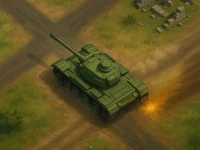
City Defense is a game where quick placement of units and obstacles is crucial. The mechanics emphasize fast deployment and upgrading defenses to withstand enemy waves. I noticed that controlling system speeds up gameplay and makes defending more efficient.
How To Play City Defense
Deploy units and obstacles by placing them strategically, then upgrade defenses with simple actions to improve your setup.
Controls and Features
The game features buttons for assigning troops and obstacles, along with upgrades, and offers a list of different enemy types. These controls and features allow quick adjustments, making defense management easier and more effective.
Tips
Try focusing on turret placement and upgrading defenses regularly, which is key to managing enemy waves efficiently. Balancing resources and watching enemy patterns helps make your defense stronger and more consistent.
City Defense FAQs.
Q: What controls are used? A: Buttons for deploying and upgrading are used.
Q: What is the main objective? A: Protect against enemy waves through strategic placement.
Q: What features are included? A: Only the controls and upgrades are explicitly stated.
Q: What is the main mechanic? A: Quick placement and upgrading of units and obstacles.
About this game
- Supported devices
- Desktop
- Genre
- Shooting
- Release date
- 11 November 2025
- Latest update
- 11 November 2025
- Rating
- No ratings yet
Anti Terrorist Shooting Game

Labuba Halloween Infestation

Piggy vs Watermelon
Merge Archers Bow and Arrow
Counter Craft Sniper

Space Shooter War
Xtreme Good And Bad Boys 2 2025
Base Defense 3D
Many Bricks Breaker
Zombie Survival : Last Stand
Horde Zombie War

3D Bullet Bender
Craft Monster Hunting
BulletMan 3D

Alien Space Shooter Game

Stickman Archer Kick

Road Of Fury 4

Planet Hero

Gang Blast

Space Shooter Boss
Crowd Battle Gun Rush

Bowmasters2
Battle SWAT vs Mercenary Zombie Survival

Dead Zone15165