













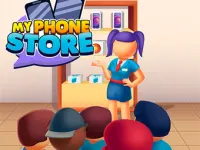

My Phone store
The Phone store lets you build gadgets for customers. i can make phones, laptops, and tablets.
How To Play My Phone store
To control, you need to press the WASD keys or use a mouse if you're playing on a computer.
Controls and Features
The following List states the available features. The features are simple and addictive gameplay, create phones, laptops, and tablets, sell devices and earn money, upgrade your store and expand your business, play, earn, and build the best gadget store.
Tips
Try to create phones, laptops, and tablets to sell them. This is the main action you must do.
My Phone store FAQs.
Q: What are the controls? A: Controls are WASD keys or mouse on a computer.
Q: What is the objective? A: Build smartphones, laptops, and tablets and sell them to customers.
Q: What stated feature is there? A: The feature is simple and addictive gameplay.
Q: What is the main mechanic? A: The main mechanic is creating devices and selling them.
About this game
- Supported devices
- Desktop
- Genre
- Action
- Release date
- 23 February 2026
- Latest update
- 23 February 2026
- Rating
- 10.0 (1 votes)

Blocky World 3D: Creative Mode!

The Best Makeup Salon

Obbi: A walk through the forest

Your Obby Escape

Poppy Playtime 5 Clicker

Chase for Brainrot

Obby: Escape for Brainrots

Poppy Playtime 5 Chats: Lily Lovebraids and others

Sprunki Blocks

Universal Racing Cars

Escape Tsunami For Brainrots! Steal a Brainrot!

Snow Rider Obby Parkour

Plants Vs Zombies Hybrid Mod: Evolution

Fish Frenzy

Schoolboy Runaway Act 3: Horrors

Poppy Playtime 5 Jumpscares and Mini-Games

Survive in lava for Brainrots!

Crazy Racers

Robby: Knockout!

ASMR Makeup - Beauty Salon

Escape Tsunami for Memes!

Santa vs Poppy Playtime

Boy Escape from School: Runaway

Break a Lucky Block! Get Random Brainrot!